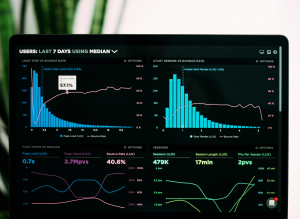
In today’s digital world, every click, purchase, and interaction creates data. The challenge isn’t collecting it — it’s understanding it. Data analytics tools help you transform raw numbers into dashboards, trends, and insights your team can actually act on. Instead of guessing, you use real evidence to drive strategy, optimize performance, and spot opportunities faster.
What Are Data Analytics Tools?
Data analytics tools are software platforms that collect, process, visualize, and interpret data from different sources. They turn scattered information into charts, reports, and models that explain what’s happening in your business — and why.
They’re used across marketing, sales, finance, operations, product, and more. Whether you’re tracking website traffic, customer behavior, campaign performance, or supply chain costs, analytics tools give you a single place to explore and understand the numbers.
Typical capabilities include:
- Connecting to multiple data sources (CRMs, ad platforms, spreadsheets, databases)
- Cleaning and organizing messy data
- Creating charts, dashboards, and automated reports
- Running filters, segments, and comparisons
- Applying basic or advanced statistics and predictive models
Instead of exporting CSV files and manually building charts every week, data analytics tools give you a live, always-on view of performance.
Why Businesses Rely on Data Analytics Tools
Here’s how data analytics tools support smarter decisions:
✅ Clear Visibility – See key metrics in real time instead of waiting for monthly summary emails.
✅ Faster Answers – Filter data by channel, campaign, product, or audience in seconds.
✅ Better Alignment – Give marketing, sales, finance, and leadership one shared “source of truth.”
✅ Performance Optimization – Quickly identify what’s working, what’s wasting budget, and where to double down.
✅ Risk Reduction – Spot negative trends early, like rising churn or dropping conversion rates.
✅ Strategic Planning – Use historical data to forecast revenue, plan inventory, and set realistic targets.
In a competitive market, guessing is expensive. Analytics tools replace “I think” with “we know.”
Key Features of Effective Data Analytics Tools
Not every platform will fit your team. To get real value, look for tools that offer:
- Easy Data Connections – Native integrations with your CRM, advertising platforms, website analytics, payment providers, and databases.
- Data Modeling & Transformation – The ability to clean, join, and structure data (for example, combining campaign spend with revenue to calculate ROI).
- Interactive Dashboards – Custom views with filters, drill-down options, and visuals your team can explore without writing code.
- Ad Hoc Analysis – Flexible queries, pivot tables, and segmentation for digging into specific questions.
- Automated Reporting – Scheduled email reports, alerts, and notifications when KPIs move beyond defined thresholds.
- Collaboration & Sharing – Easy ways to share dashboards with stakeholders, from analysts to executives.
- Scalability – The capacity to handle growing volumes of data without slowing down or breaking.
- Security & Governance – Role-based access, data permissions, and audit trails to protect sensitive information.
Choosing tools that match both your technical skills and business goals is more important than chasing every advanced feature.
Top Data Analytics Tools to Consider
There’s no one “best” platform — the right tool depends on your team size, data complexity, and budget. Here are popular categories and examples:
- Self-Service BI Platforms
- Power BI – Strong for organizations using Microsoft tools.
- Tableau – Excellent for rich visualizations and interactive dashboards.
- Looker / Looker Studio – Google ecosystem–friendly with strong embedded analytics options.
- Modern Cloud Analytics & Warehousing
- Snowflake – Cloud data platform built for large-scale storage and processing.
- BigQuery – Google’s serverless data warehouse for large datasets.
- Redshift – Amazon’s data warehouse for teams already in AWS.
- Product & Event Analytics
- Mixpanel – Focused on product usage, funnels, and user behavior.
- Amplitude – Helps product and growth teams understand retention, cohorts, and journeys.
- Marketing & Customer Analytics
- Google Analytics – Tracks website and app traffic, user flows, and conversions.
- Customer data platforms (CDPs) – Combine customer touchpoints into a unified profile.
Your stack may include more than one tool: for example, a data warehouse to store everything, a BI tool to visualize it, and a product analytics tool for detailed behavioral data.
How Data Analytics Tools Support the Full Decision-Making Cycle
Analytics tools don’t just show you what happened; they support an ongoing cycle of improvement:
- Data Collection – Pull information from websites, apps, CRM systems, payment providers, and marketing platforms.
- Data Cleaning & Integration – Remove duplicates, fix errors, standardize formats, and combine sources into a usable model.
- Exploration & Visualization – Use charts, dashboards, and filters to explore trends, outliers, and patterns.
- Insight Generation – Ask “why?” about spikes, drops, and changes to uncover underlying drivers.
- Action & Experimentation – Adjust campaigns, pricing, product features, or processes based on insights.
- Measurement & Feedback – Track the impact of changes and feed the results back into your analytics.
With good tools, this loop becomes part of everyday work, not an occasional project. Teams learn to test ideas, measure results, and refine strategy continuously.
Do Data Analytics Tools Actually Improve Results?
When implemented well, analytics tools can have a measurable impact on performance. Organizations that use data effectively often see:
- Higher ROI on Marketing Spend – Better attribution and funnel analysis show which channels bring profitable customers.
- Improved Conversion Rates – A/B testing and journey analysis highlight friction points in key flows.
- Better Customer Retention – Churn analysis and cohort tracking reveal when and why customers leave.
- Operational Efficiency – Identifying bottlenecks in operations, logistics, or support reduces waste and delays.
Tools alone don’t guarantee success. The real power comes when teams actually use them — checking dashboards regularly, basing decisions on data, and running experiments instead of relying only on intuition.
Common Mistakes to Avoid
When implemented well, analytics tools can have a measurable impact on performance. Organizations To keep your analytics stack from turning into a tangle of unused dashboards and forgotten reports, watch out for these pitfalls:
❌ Collecting Everything, Analyzing Nothing – Storing huge volumes of data without clear questions or goals.
❌ Too Many Tools, No Ownership – Jumping between overlapping platforms without a defined owner for each.
❌ Overly Complex Dashboards – Building visuals so dense that people ignore them.
❌ Ignoring Data Quality – Allowing inaccurate or inconsistent data to drive important decisions.
❌ No Training or Documentation – Expecting non-technical teams to “figure it out” on their own.
❌ Relying Only on Vanity Metrics – Focusing on clicks, pageviews, or followers instead of revenue, retention, or profit.
A good rule: fewer dashboards, more impact. Prioritize the metrics that actually move your business forward.
✅ Getting Started With Data Analytics Tools
You don’t need a massive data team to begin. Here’s a simple path to getting value quickly:
Iterate Over Time
As your needs grow, refine metrics, add new sources, and layer in more advanced analysis like cohort studies or predictive models.
Define Your Core Questions
Decide what you need to know: Which campaigns drive real revenue? Which customers are most valuable? Where are we losing people in our funnel?
List Your Data Sources
Map where your data currently lives — CRM, payment systems, website analytics, ad platforms, support tools, spreadsheets.
Choose a Starter Stack
Start small: one BI tool and a couple of key integrations is often enough. Focus on tools your team will actually use day to day.
Build a Few High-Impact Dashboards
Create views for core areas like acquisition, revenue, and retention. Keep them clean, focused, and easy to understand.
Set Up Alerts & Regular Check-Ins
Use automated alerts for major KPI changes and schedule recurring reviews so decisions are always grounded in data.
Train Your Team
Walk stakeholders through how to read dashboards, filter data, and ask better questions. Adoption matters more than advanced features.
Final Thoughts
Data analytics tools give you more than pretty charts — they give you clarity. When your data is connected, trustworthy, and easy to explore, every part of the business benefits: leaders make stronger decisions, teams move faster, and experiments become part of the culture.
You don’t need to become a data scientist overnight. Start with the questions that matter most, choose tools that fit your workflow, and build from there. Over time, your analytics stack becomes a competitive advantage — a quiet engine behind smarter strategy, better customer experiences, and sustainable growth.